

Screenshots


About this app
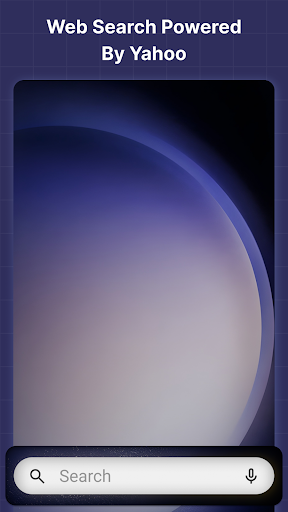
Manage your monthly schedule and stay organized with Calendar Launcher. Get instant access to a simple calendar planner with a single swipe from your home screen. Our calendar app is a launcher that lets you create events and set reminders for birthdays, dinner dates, business meetings and appointments. Please note: As a launcher app, the layout of your home screen may change after install. Don’t worry, all your apps are still on your phone - they just may be in a different location. To learn more, please visit our FAQ section: https://dailycalendar.app/#faq With a launcher app, you get the added benefits of: 🚀 One-swipe access Schedule calendar events by simply swiping right from your home screen! 📱Home screen widget See the time, weather, and more, conveniently on your home screen with our customized widget. 🖼️ Wallpaper Personalize your home or lock screen with a wide selection of beautiful themed wallpapers. 🏠 Home screen shortcut Use the Calendar Launcher shortcut on your home screen to get fast access to a calendar planner. 🔍 Multi-touchpoint search Apps and web search has never been easier. Search for installed apps or the web (powered by Yahoo) from multiple access points. Key features: ✓ Monthly calendar view ✓ Event scheduling ✓ Reminders 📅 Easy schedule management: Get a complete picture of your monthly schedule with our simple launcher app. Easily switch between months, view events scheduled on specific dates and plan your time. 📌 Create events: From important appointments and deadlines to birthdays and brunch with friends, this launcher application allows you to easily add events to your calendar. 🔔 Set reminders: Stay on top of your schedule and never miss a beat. Add reminders for events including vacations, anniversaries, birthdays, business meetings, and calls on the calendar launcher app. Take control of your schedule with Calendar Launcher. Create events and get things done, easily set reminders for tasks, and simplify your daily routine with our easy-to-use calendar planner. Download our launcher application and easily access a calendar from your minus one screen. Please write to us should you have any queries or comments about the app, including recommendations for new features. Also, please note that you can uninstall it at any time. You give your consent to install Calendar Launcher from the Google Play™ Store by clicking the button above. You also agree to this app's Terms and Conditions & Privacy Policy. Google Play is a trademark of Google LLC. Use of it here does not imply any affiliation with or endorsement by Google LLC. For questions or feedback, reach out to us through our contact form: https://dailycalendar.app/contact-us Android is a trademark of Google LLC. Privacy Policy: https://dailycalendar.app/privacy-policy Terms of Service: https://dailycalendar.app/terms-of-service
What's New
Latest version 2.8.0 with bug fixes and performance improvements
Enhanced security and stability
Optimized for better user experience
Kullanıcı Yorumları
10 yorum
RAYNETTE OWENS
6 ay önce
I actually love this calendar app that's helping me to keep track of my appointments and schedule; it's so hassle free and easy to use.
Hi there, thanks for your kind words ✅ We’re happy you’re enjoying the app! Thank you for your support, and we hope you continue enjoying Calendar Launcher. Kind regards, The Calendar Launcher Team

EK
5 ay önce
Easy to read print and events are clearly displayed on the calendar. Great app.

David Ingro
4 ay önce
more than it seems, upon downloading it attempts to organize more than your calendar including apps on home page and such. useful yet may send some into a bit of a frenzy depending on how one likes their phone organized
Hi there, thanks for your kind words ✅ We're delighted to hear our app is useful for you. We appreciate your understanding of its features and options. Enjoy using Calendar Launcher! Kind regards, The Calendar Launcher Team
Developer
Trusted developer with verified applications on our platform.
App Information
Download Stats
Safe Download
This app has been verified and is safe to download. No malware detected.
You Might Also Like
More apps from Productivity category











