

Screenshots


About this app
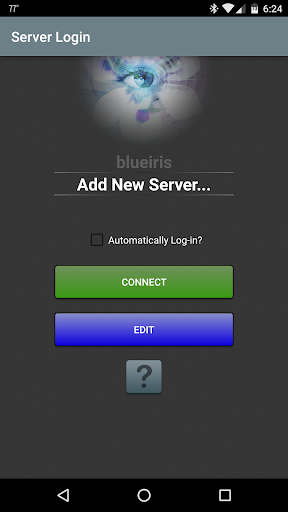
This app is a CLIENT for the Blue Iris Windows PC software. In order to make use of this app, you must have Blue Iris version 5.x installed and running on a Windows PC. Instructions for connecting this app to the PC software are found in the Networking topic of its Help file. This app provides a single point of contact to your home camera network. There is no need to insecurely open individual cameras to the Internet. This app connects using a secure and session-based protocol--no passwords are transmitted in plain text. Key features include: - Manage multiple Blue Iris installations - Control the traffic signal icon, schedule and profile selection - Receive Android push alerts when a Blue Iris camera is triggered or there is a critical status message - Fast H.264 streaming - Control PTZ, IR and more for any camera that’s also controllable at the Blue Iris PC - Listen to and talk to any camera that’s also supported at the Blue Iris PC - Navigate cameras by tapping and swiping - Review recordings as stored on the Blue Iris PC, up to 64x speed - Selectively delete recordings from the Blue Iris PC - Remote control DIO output signals on compatible devices
What's New
Latest version 3.0.46 with bug fixes and performance improvements
Enhanced security and stability
Optimized for better user experience
Kullanıcı Yorumları
10 yorum
Jeff Hutchins
1 yıl önce
Love this app, works great! Only suggestion would be in camera page to be able to turn off groups, cameras and filter at the top to just show the cameras only. One other minor issue, when reviewing recordings, when you click last recording it plays fine, when you click left to go to next oldest recording that works fine, but you cannot then go back to latest recording. Thanks!

Tim Jonathan
1 yıl önce
I've been using this app for over a year and have found it works really well. It has its issues, but so does every other app ever made. The performance of this app depends on your settings, internet/network quality, Blue Iris PC performance, phone performance and your settings in app and on the PC. Using a slow PC, over dodgy wifi or 3G, with an android A7 and all settings on max resolution and bitrate isn't going to be a great experience for you. Tweek your settings to match your setup.

A Google user
6 yıl önce
This in conjunction of the desktop version is just amazing. I run a small server at home with a very high speed connection and multiple mp cams and this program is so fluid. I love it and I will live longer without the stress of not knowing why my alarm is going off when I'm 100 miles or more from home. The cameras tell me it all. Thanks to the dev for all your hard work you rock bro.
Developer
Trusted developer with verified applications on our platform.
App Information
Download Stats
Safe Download
This app has been verified and is safe to download. No malware detected.
You Might Also Like
More apps from Video Players & Editors category


Video Downloader - XDownloader
Download Videos App Tools


VITA - Video Editor & Maker
SNOW Corporation


iWebVR Pro
Panagola Private Limited


Slideshow Maker Photo Video
Govo Tech


AI Video Maker With Music
Aquaworld Infotech


Video Downloader & Player
Innometrics Enterprise