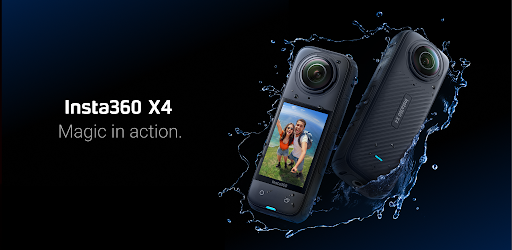

Screenshots



About this app
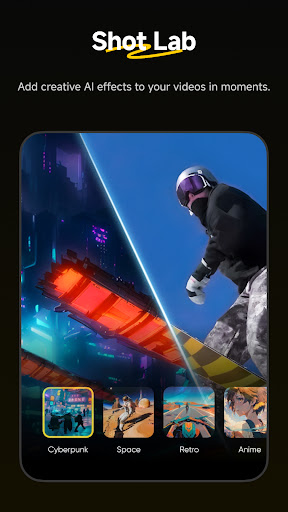
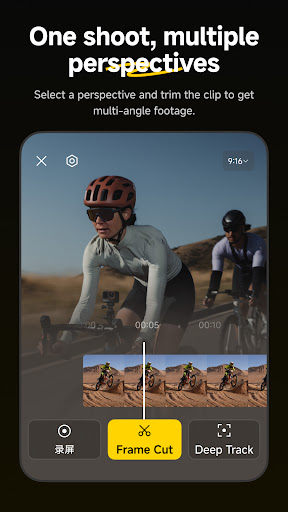
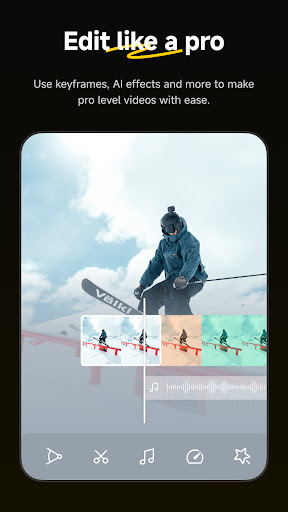
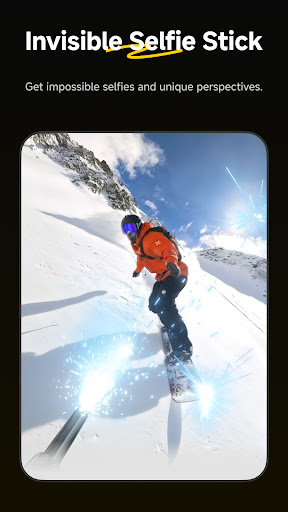
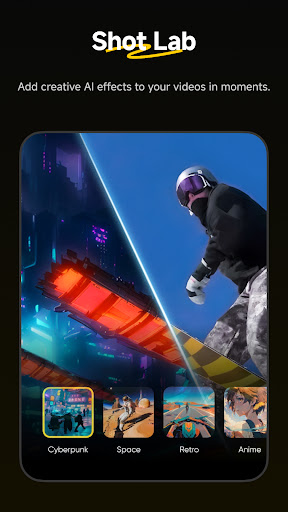
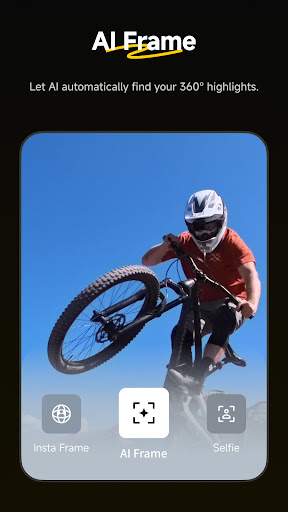
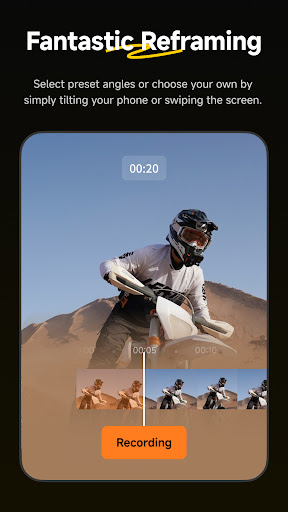
Insta360 cameras and handheld gimbals give creators, athletes and adventurers tools to create like they’ve never created. Whether you’re upping your shooting game with an Insta360 cameras, the Insta360 app is a creative powerhouse in your pocket that acts as your camera’s sidekick. Let AI do the work with auto editing tools and templates, or dial in on your edit with a host of manual controls. Editing on your phone has never been easier. New Album Page Layout Thumbnails now automatically uses the best angle to easily identify and manage files. AI Edit AI can handle the entire reframing process! Sit back and let your action highlights make themselves, now faster with improved subject detection for even easier editing. Shot Lab Shot Lab is home to tons of AI-powered editing templates that help you create viral clips in just a few taps. Discover over 25 templates, including Nose Mode, Sky Swap, AI Warp and Clone Trail! Reframing The creative possibilities are endless with easy 360 reframing tools in the Insta360 app. Tap to add a keyframe and change the perspective of your footage. Deep Track Whether a person, animal, or a moving object, keep the subject centered in your shot with a single tap! Hyperlapses Speed up your videos to create a stabilized hyperlapse in just a few taps. Adjust the speed of your clip on a whim—you have full control over time and perspective. Download-Free Editing Edit and share your clips to social media without downloading them to your phone first! Save your phone’s storage space and edit clips while you’re on the go. Please feel free to reach out to us at any time! Official website: www.insta360.com (you can also download the Studio desktop software and the latest firmware updates) Official customer service email: service@insta360.com Plus, discover the best content from creators around the world in the Insta360 app! Find new video ideas, learn from tutorials, share content, interact with your favorite creators, and more. Download now and start exploring! Here are the Insta360+Privacy Policy and Insta360+ User Service Agreement Insta360+Privacy Policy: https://www.insta360.com/support/supportcourse?post_id=20767&utm_source=app_oner Insta360+ User Service Agreement: https://www.insta360.com/support/supportcourse?post_id=20768&utm_source=app_oner If you would like to share feedback about our app, please search for the "Insta360 Official" account in the app private message system, and send us a private message after following. When connecting their phones to cameras via the camera's Wi-Fi (a local network without internet access), most users lose internet connectivity, causing inconveniences like frequent disconnection/reconnection for WeChat authorization during live streaming. To solve this, we use VPNService to route specific requests to the cellular network, eliminating the need for users to repeatedly switch connections with the camera.
What's New
Latest version 2.16.0 with bug fixes and performance improvements
Enhanced security and stability
Optimized for better user experience
Kullanıcı Yorumları
10 yorum
David Dodge
1 yıl önce
The app is fairly intuitive but I don't like that, when you edit multiple files into one video you can't do any of the "movement" options that are available when working with just one video clip. Additionally, the fact that, when exporting, if you pick up your mobile device and it accidentally changes its orientation from portrait to landscape it will stop exporting and go back to your album. You'll then have to locate the clip you were exporting and start over. Frustrating!
Hello, thank you for your valuable feedback and we apologize for the inconvenience caused. We have passed your suggestions on to the relevant product team for evaluation and hope to implement optimizations as soon as possible. If you have any other questions, please feel free to contact us via service@insta360.com.

Courtney Randolph
5 ay önce
To say that the app and cloud storage system need work is an understatement. I thought that I was getting something easy to use, and I did with the camera at least. The app is extremely frustrating, to the point that I almost regret the X5 at all. I'm staying in hotels that don't have the best WiFi. Every upload is ~11+hrs before just crashing. Every download ties up my phone memory with no way to easily add to the cloud. Frustrating and terrible experience.
We apologize for the unpleasant experience. We will report your feedback to the R&D team for evaluation and optimization. For the issue of slow uploads causing crashes, please send your camera's firmware version and model, log file, and a video of the issue to our email [service@insta360.com] for further help. Thank you!

Vern D
7 ay önce
Been using this app for a few years now. It has become levels above than what it used to be but it still needs work. I still crash while editing and lose all progress unless I manually back out to create a save point. The fact that this doesn't have auto saves every (x) minutes for the drafts is crazy. App recording also doesn't always track speeds if you accidentally minimize the app during recording.. Adding sounds doesn't work unless it's a specific size.. (usually large) ECT.
Hi, sorry for your unpleasant experience. To address the issues, are you referring to there aren't edit records in the [Drafts]? Please send screen recordings of these issues, along with your phone model, app version, and LogID to appfeedback@insta360.com for further assistance. Thank you for your understanding and patience!
Developer
Trusted developer with verified applications on our platform.
App Information
Download Stats
Safe Download
This app has been verified and is safe to download. No malware detected.
You Might Also Like
More apps from Video Players & Editors category


Video Downloader - XDownloader
Download Videos App Tools


VITA - Video Editor & Maker
SNOW Corporation


iWebVR Pro
Panagola Private Limited


Slideshow Maker Photo Video
Govo Tech


AI Video Maker With Music
Aquaworld Infotech


Video Downloader & Player
Innometrics Enterprise