Screenshots





About this app
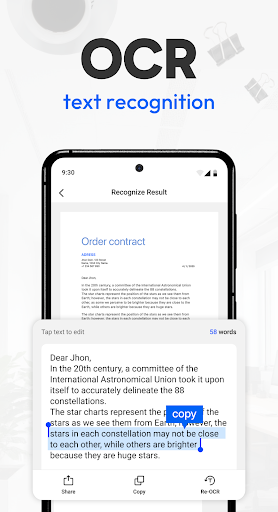
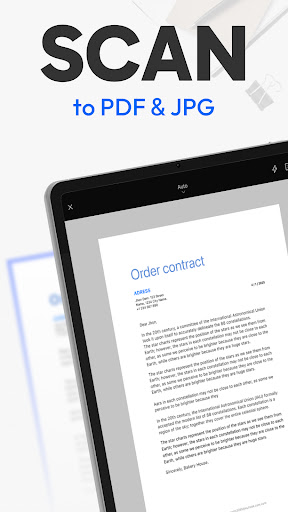
Tiny Scanner is a mobile scanner app that scans documents to PDF, saves them for access whenever you need, and lets you share them wherever you are. Perfect for scanning documents, contracts, invoices, ID cards, homework, and other paperwork, keeping everything organized on your phone. Trusted by millions and crafted with ten years of experience, Tiny Scanner is the pocket scanner that fits right in your hand. ==KEY FEATURES== High-Quality Scan Capture documents with clarity and precision. Tiny Scanner automatically detects edges, removes shadows, and enhances text and images to deliver professional-quality scans every time. Perfect for scanning homework, business contracts, receipts, travel documents, or handwritten notes with clear results. Edit Fine-tune your scans with cropping, rotation, filters, and contrast adjustments. Add signatures, annotations, watermarks, or custom notes directly on your documents for both personal and professional use. Use it to highlight key points on a report, sign a contract on the go, or add notes to a lecture handout. OCR (Text Recognition) Extract text from scanned documents in multiple languages with the built-in OCR feature. Turn images or PDFs into editable and searchable content for easier study, work, or sharing. Quickly convert meeting notes, invoices, or printed articles into editable text to save time and avoid retyping. File Format Conversion Export your scans into multiple formats such as PDF, JPG, TXT or Link. Convert documents effortlessly to fit your workflow, whether for work, school, or personal organization. Share an expense report as PDF, send a photo receipt as JPG, or extract text from a scanned page as TXT for easy editing. Multiple Scan Modes Handle every scanning need with precision. Choose from multiple scan modes including QR Code, Book, Document, ID Card, Passport, Area Measurement, Object Counter, and Math Scanner. Scan a multipage contract for work, quickly capture your ID card for digital filing, or measure the area of a project site. Cloud Sync & Organization Keep all your scans safe, accessible, and perfectly organized. Sync seamlessly with your preferred cloud storage, tag documents, create folders, and quickly find files whenever you need them. Ideal for managing business receipts, school notes, or travel documents across all your devices. Sharing & Export Send scanned PDFs or images via email, messaging apps, or cloud services. Print or fax directly from your phone for maximum convenience. Easily share a signed contract with colleagues, email homework to a teacher, or send a travel itinerary to a friend. ==CONTACT US== We're glad to hear your feedback! For any questions or issues with Tiny Scanner, email us at support@tinyscanner.app. We’ll help you promptly.
What's New
Latest version 8.9.9 with bug fixes and performance improvements
Enhanced security and stability
Optimized for better user experience
Kullanıcı Yorumları
10 yorum
V Philip
5 yıl önce
So far so good...but 3 stars because all you needed to do was advertise the following, "You can save up to 3 documents to be scanned/emailed or upgrade to the Pro version for unlimited sending/saving of your important documents." Versus being prompted to buy it whilst frantically scanning tax information. Being upfront doesn't hurt. And I read the "About Product" section to make sure I didn't miss it.

A Google user
6 yıl önce
I paid for the pro version. I cannot speak for the issues people have had with the supposedly free app locking them out. I was originally going to leave a 5-star review, but read some other reviews and agree with them that it is unfortunate that you cannot edit the scans (filtering) nor rename them after they are created. The file names used to share the files are also poor (simply the date and time photo file name) although I'm not sure how much control the developer has over that.

Samuel Magnan
4 yıl önce
Has worked great until now. But now all I get when I try to take/upload a picture is the "special offer / upgrade to premium" window, making the app basically unusable (unless you pay that is). I would have likely bought the app if it was a flat price and not a subscription system. I get that it is getting updates, but for me they do not justify a subscription model. Not planning to pay monthly / yearly for something I will use less than 4 times a year.
Developer
Trusted developer with verified applications on our platform.
App Information
Download Stats
Safe Download
This app has been verified and is safe to download. No malware detected.