

Screenshots


About this app
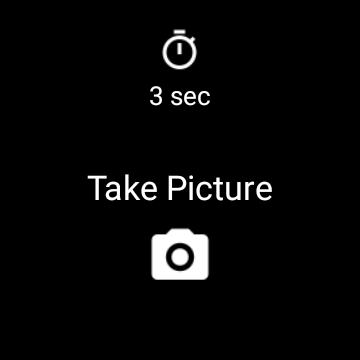
Remote control the phone camera shutter from your smartwatch and take a picture without touching your phone. Please watch the video and read the FAQ: http://www.cameraremotewatch.com/ Open the phone app "Camera Remote Watch" and adjust the camera view. On your watch: open the app "Camera Remote Watch" and tap the Camera button to trigger the camera shutter on your phone. The photo will be stored in your phone photo gallery and you can access it with the Android "Gallery" app. A copy of the photo will be shown on your watch, so that you can check if it looks good or if you should take another picture. Please make sure that the watch and the phone are connected before starting to take pictures. Be patient when downloading the new photo (the watch is slow). If the watch display goes black during the download of the photo, just tap the watch screen to switch the display on again. If you have a phone that is not officially supported by Android, the phone app Camera Remote Watch may not work on your phone. This app works also with Wear OS smartwatches. Please read the FAQ: http://cameraremotewatch.com/faq/
What's New
Latest version 1.2.9 with bug fixes and performance improvements
Enhanced security and stability
Optimized for better user experience
Kullanıcı Yorumları
10 yorum
A Google user
7 yıl önce
ok on FitbitVersa/Galaxy8+. Image taken is 4032x3024 but I set the flash to always fire in the app but it never fires. The camera does not do a good job, poor focus/iso/flash. wish it would trigger any camera app running. change timer setting to 0 to have almot no delay taking photo. Still get a long delay for photo to transmit back to watch display, may be sending the large file but should send thumb nail. I get the Camera Error if I try to take 1 after the other, u have to give it a few secs

Darth Seabass
2 yıl önce
I just need to take basic group photos at the state park's scenic photo stations without having to run from the phone to the group. After tinkering with the app's camera settings and taking some sample photos, it works as advertised on my Vivo 4 and Galaxy S23 Plus. The photo quality is similar to what I take with the default camera app. It would be nice to have more control of the camera settings, but it gets the job done.

Omar Ossama
6 ay önce
This app runs smoothly and is currently the only one that works with my Amazfit watch. It does the basics well as it allows you to take a picture and view it on the watch. However, it lacks important features such as live camera feed and zoom control. It has great potential, and I hope the developers add more features soon.
Developer
Trusted developer with verified applications on our platform.
App Information
Download Stats
Safe Download
This app has been verified and is safe to download. No malware detected.
You Might Also Like
More apps from Photography category


Selfie Camera - Beauty Camera
iMediaStar


FaceFancy-Face Swap & AI Photo
SZYJ Technology


StyleSwap: Outfits & Faces
SkySoft Inc


AI Photo Editor: Gallery Vault
T21 Games


HD Camera: AI Beauty
UniStarSoft


Photo Album F-Stop Pro
Seelye Engineering