Screenshots


About this app
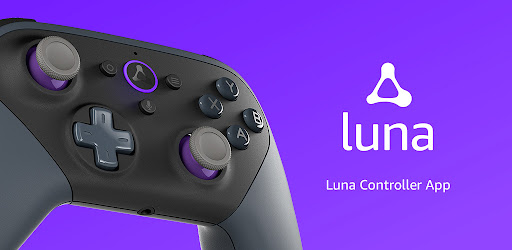
The Luna Controller app allows you to set up and manage your Luna Controllers and play Luna games using your phone via the Phone Controller. With the Luna Controller app you can: - Register Luna Controllers to your Amazon account - Set up your Luna Controller to connect to wifi and enable Cloud Direct - Play games on Luna using touch inputs on your mobile device using the Phone Controller - Add friends to your local Luna gaming session using Guest Mode - Manage the Cloud Direct wifi connection - Manage your Luna Controller Bluetooth connection - Update the software on your Luna Controllers - Check battery status - Switch between Cloud Direct and Bluetooth - Get help for common troubleshooting problems To set up the Luna Controller: 1. Download and install the Luna Controller app on your mobile device. 2. Power up your Luna Controller with 2 AA batteries. Press and hold the Luna button for 3 seconds, and an orange light will start spinning 3. Open the Luna Controller app and follow the on-screen instructions To set up a Luna Phone Controller: No controller? No problem. You can use your phone to play Luna games. 1. Go to the appstore on your mobile device and install the Luna Controller app. 2. Sign into your Amazon account. 3. Select Play With Phone Controller. The next time you're ready to play, just follow these steps: 1. Open the Luna app on a compatible device, such as a compatible Fire TV, PC or Mac 2. Open the Luna Controller app on your mobile device. 3. Select Launch under your virtual controller and wait for your controller to connect to Luna. 4. Use the virtual controller to select the game you want to play and launch it. Guests can also download the Luna Controller app and join in on the gameplay. By using this app, you agree to Amazon’s Conditions of Use (www.amazon.com/conditionsofuse) and Privacy Notice (www.amazon.com/privacy).
What's New
Latest version 1.1.688.0-release with bug fixes and performance improvements
Enhanced security and stability
Optimized for better user experience
Kullanıcı Yorumları
10 yorum
nate w
1 yıl önce
It works very well and can even connect with controllers that attach to your phone for mobile gaming only, which means you can use almost any controller to play your games on your fire stick. That alone makes it able to play almost anything in your style, but it gets even better with the easy set up for unlisted controllers, which makes this 5 stars for me.

Michael C
5 ay önce
The games are a whole lot smoother since they switched from Cloud Direct to Bluetooth. There's no audio or video issues now. Very happy!

Joel Brand
2 yıl önce
Okay I just started cloud gaming for 1 month and tried 5 cloud gaming sites. This is one of the best because the subscription is unlimited play unlike paying for hours of play. There is not a lot of lag. There are some great games on here. All of the controls work. DEVIL MAY CRY is great without any lag. RESIDENT EVIL 2 is great. As long as there are new games consistently I will stay here. The site is not so complex where one forgets where they are at. Keeping it simple works!!
Developer
Trusted developer with verified applications on our platform.
App Information
Download Stats
Safe Download
This app has been verified and is safe to download. No malware detected.
You Might Also Like
More apps from Entertainment category