
Screenshots




About this app
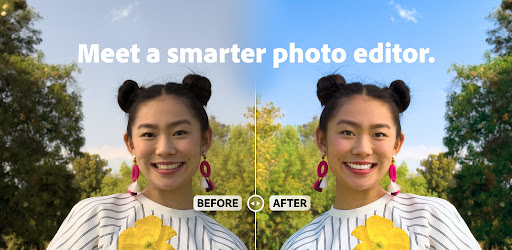
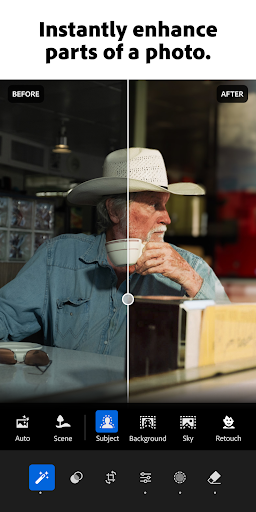
Adobe Lightroom — meet a smarter photo editor. Make any photo special with our easy, yet powerful picture editor. Lightroom is here to help you get shareworthy photos in seconds — to capture sunsets, family moments, or your latest foodie find. Retouch photos with our state of the art photo editor tools that allow you to fix pictures, enhance photo quality, and edit videos. Whether you’re curating a social feed or snapping a photograph — retouch photos with editing tools in your pocket with this photo editor. Lightroom is here to help you create photos you’re proud to share. WHY YOU SHOULD TRY LIGHTROOM: TOUCH UP YOUR PHOTOS WITH OUR PHOTO EDITOR - Photo retouch: In a few taps, make a photograph brighter, soften a background, or touch out blemishes. - One-tap features: Retouch with Quick Actions and Adaptive Presets that let you enhance photo quality in seconds. - Presets for photos: Discover filters or make your own signature look. - Video Editing: Touch up videos with tools for light, color, and presets. REMOVE DISTRACTIONS AND BLUR THE BACKGROUND - Picture editor tools that give professional results. - Touch up photos and blur the photo background for a polished look. - Adjust the finer details, or use Generative Remove to remove objects and erase people from a photo. STATE OF THE ART PHOTO EDITOR - Take control of light with tools to tweak exposure, highlights, and shadows. - Photo retouch, play with presets, HD photo effects, color grading, hue, saturation and add a blur or bokeh effect. - AI photo editor: These tools suggest the best edits for your images. Touch up photos quickly or add your unique style to an HD photo, no experience required. FIND COMMUNITY INSPIRATION - Browse photo filters and presets shared by photo enthusiasts around the world. - Match your aesthetic with inspiration from the community: Whether they’re bold edits with an AI photo editor or subtle tweaks for a polished portrait edit, find a look that matches your style — or create your own. EDIT ONCE, APPLY IT TO MULTIPLE PHOTOS - Photo editing that is quick, easy, and effortless. - Batch edit photos: Create consistent editing across a group of photos when you copy and paste your edits across multiple photos. - Save your favorites and make every photo feel like you. Download Lightroom today. Terms & Conditions: Your use of this application is governed by the Adobe General Terms of Use http://www.adobe.com/go/terms_en and the Adobe Privacy Policy http://www.adobe.com/go/privacy_policy_en Do not sell or share my personal information www.adobe.com/go/ca-rights
What's New
Latest version VARY with bug fixes and performance improvements
Enhanced security and stability
Optimized for better user experience
Kullanıcı Yorumları
10 yorum
Chris Arnold
9 ay önce
Had an issue with a recent update which broke importing directly from my Sony A7CII into Lightroom on my Galaxy S24U. Adobe acknowledged my issue and this latest update has fixed it. Thank you! I'd like to see more options with the Signature feature. I use it as a literal watermark. I'd like to be able to place it anywhere in any orientation, including diagonal, or any angle. Anyhoo. That's something I requested a long time ago, but it's probably so far down a list of feature requests.

Kuldeep Vishwakarma
6 ay önce
Create a 1/7 scale commercialized figurine of the characters in the picture, in a realistic style, in a real environment. The figurine is placed on a computer desk. The figurine has a round transparent acrylic base, with no text on the base. The content on the computer screen is a 3D modeling process of this figurine. Next to the computer screen is a toy packaging box, designed in a style reminiscent of high-quality collectible figures, printed with original artwork. The packaging features two-d

Stacie Noto
5 ay önce
App works well, just the AI remover needs quite a bit of work. The options given are not always what I need and I end up having to again do some major editing in Photoshop, which is fine, but some of the AI stuff over there isn't much better.
Hi, sorry you're having trouble. We would like to hear more about what's going on. Please mail us at DL-LrAndroid-Feedback, LrAndroid-Feedback@adobe.com and we will do what we can to figure it out. Please include screenshots and the specific steps to recreate your issue. ^Rc
Developer
Trusted developer with verified applications on our platform.
App Information
Download Stats
Safe Download
This app has been verified and is safe to download. No malware detected.
You Might Also Like
More apps from Photography category


Selfie Camera - Beauty Camera
iMediaStar


FaceFancy-Face Swap & AI Photo
SZYJ Technology


StyleSwap: Outfits & Faces
SkySoft Inc


AI Photo Editor: Gallery Vault
T21 Games


HD Camera: AI Beauty
UniStarSoft


Photo Album F-Stop Pro
Seelye Engineering