

Screenshots



About this app
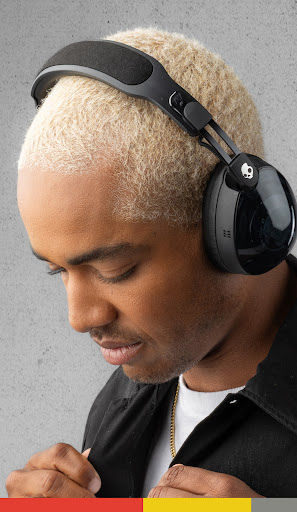
About the Skullcandy App Enhance and customize your listening experience with the Skullcandy App. Control product features and settings, access user guides, and update product firmware versions as Skullcandy releases updates to some products in market. Product Feature Highlights Personal Sound: Tune your product to your unique hearing. Take a simple hearing assessment to generate your personalized sound profile. Hear your music like never before. Equalizers & Hearing Modes: Can be turned on/off or selected to meet your changing noise environment and listening preferences. App and Product Upgrades: As they become available, we will release new and improved firmware to the earbuds or headphones you own to keep you with the latest greatest audio experience. Enable push notifications in the Skullcandy App to receive alerts for upgrades that are available to you. User Guides & Support Detailed user manuals and quick guides remind you how to get the most of your product. Explore the Skullcandy brand and get customer service help.
What's New
Latest version 4.0.4 with bug fixes and performance improvements
Enhanced security and stability
Optimized for better user experience
Kullanıcı Yorumları
10 yorum
Joe McKenzie
4 yıl önce
(Using this with Crusher Evo.) Rather basic functionality, it'd really be nice if there was a proper graphic equalizer. As is, there's personalized audio, which I haven't tried out yet. There's options to find the headphone if you've misplaced it and to reset it. And then there's modes for music, movies and podcasts. I HIGHLY recommend movie mode, even for music, at least if you like vocals. It brings them out so they don't get lost in the heavy bass so much with the slider up.

Brison Crump
5 ay önce
I had tried to connect my Crusher Evos to this app with my Motorola phone when I had bought them about a month or two ago and it kept saying that they weren't in close enough proximity and refused to connect. I had tried last month as well and still nothing. but I just redownloaded to see if they finally got it working and they did! Seems to be a good enough app, nothing will compare to the soundcore customization but this is still good.
Thanks for supporting Skullcandy! We've been looking into this issue, and think resetting your network settings may help. Go to Settings >Select System > Select Advanced > Select Reset options> Select Reset Wi-Fi, mobile & Bluetooth> Select Reset settings > Select Reset settings again. If this doesn't work please email us at appdev@skullcandy.com

Nathan Cammarn
4 yıl önce
The app does what I need it to, but I feel it could be made better with minimal effort. For one, I'd like my preference for ambiant and noise cancelling modes to be saved, so I don't have to manually turn it on every time. Also, I'd like an option to disable the earbud's touch controls (or button controls, depending on earbud model).
Thanks for supporting Skullcandy! Glad to hear you like the Skullcandy App, and we appreciate your review. We’re always working to improve the Skullcandy App, so we’re passing your notes about saved preferences and customizable earbud controls to our development team.
Developer
Trusted developer with verified applications on our platform.
App Information
Download Stats
Safe Download
This app has been verified and is safe to download. No malware detected.
You Might Also Like
More apps from Music & Audio category


Audio Elements Pro
Rokaud


Spotify: Music and Podcasts
Spotify AB


Bose QC Earbuds
Bose Corporation

AudioLab Audio Editor Recorder
HitroLab - Mp3 Audio Editor and Ringtone Maker Dev

Musivibe - Enjoy Various Music
Acunsewer Media

AudioTool
jjbunn